Tanima Jajoo
Case studyOrvexaOct–Nov 2025

AI image generation

How people in India create images and videos with AI tools, and where those tools fall short in representing local culture, language and context.

My roleUX researcher: designed the screener, pre-task, probe and discussion guide; live note-taking and synthesis
Scale50 participants, 6 languages, 2 phases
MethodsPre-task, probe, 90-minute remote in-depth interviews with contextual inquiry
Timeline1 month, October to November 2025
TL;DR
  • Orvexa, a global technology company, wanted to know what makes an AI-generated image or video feel local and culturally relevant to people in India, and how Gemini and ChatGPT compare.
  • Across 50 remote interviews in six languages, we found that "local" is about cultural familiarity and belonging, not just a place. It lives in people's faces, clothing and gestures, and in details that feel right. We turned this into four pillars for culturally relevant visuals.
  • People type their prompts, in English, to get it right the first time, because regional languages often fail. Many write the prompt with ChatGPT and create the image with Gemini.
  • On my first project at Peepal Design, I designed the screener, pre-task, probe and discussion guide, took live notes, and did the synthesis for all the interviews.
The brief

Can AI tools picture the world the way local creators see it?

This study explored how people create images and videos with AI tools, and where those tools fall short in representing local culture, language and context. It looked at the challenges creators face, and what they expect from authentic results that they can trust.

The aim: insights to guide an image and video generation experience that feels accurate, culturally respectful and empowering for local creators. The client asked two questions:

  1. What makes an AI-generated image or video feel local?What it should, or could, capture to feel culturally relevant, across: LanguageLocal knowledgeBehavioural normsSocietal assumptions, like taboos and religious sentiments
  2. Tool comparisonA side-by-side comparison between two tools, Gemini vs ChatGPT, on critical elements like speed and which tool handles which elements better.
How we did it

50 participants, six languages, one common task

50 participants with a mix of six languages: English and five regional languages. Everyone had the same task: create an image that represents a local vegetable market in their area.

EnglishHindiTeluguBengaliMarathiTamil

In their own languageHindi and English sessions were moderated in-house, by my co-researcher. For Telugu, Bengali, Marathi and Tamil, we hired moderators who spoke each language, so participants could talk freely. A translator interpreted each session into English live, and we took notes from the translation.

Two phases of 25: first a mix of students, working professionals and homemakers, then content creators and people who use video generation in their professional lives.

The pre-task
"Generate an image of a vegetable market that looks local to you, with all the culturally relevant elements."

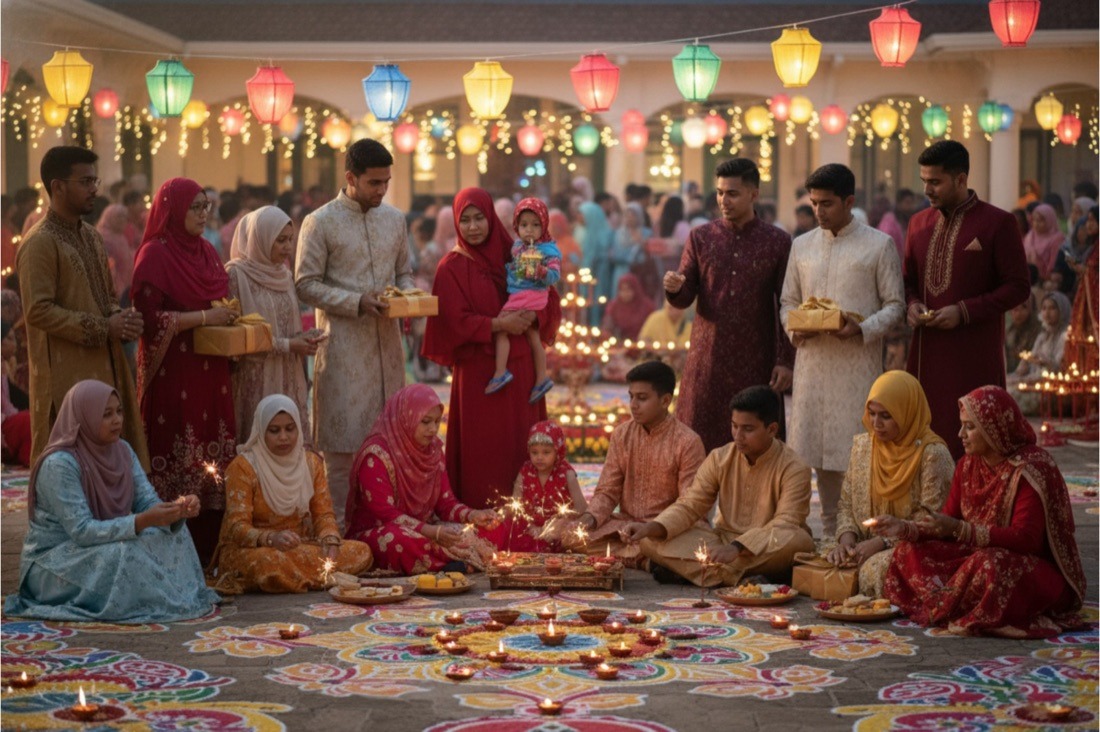
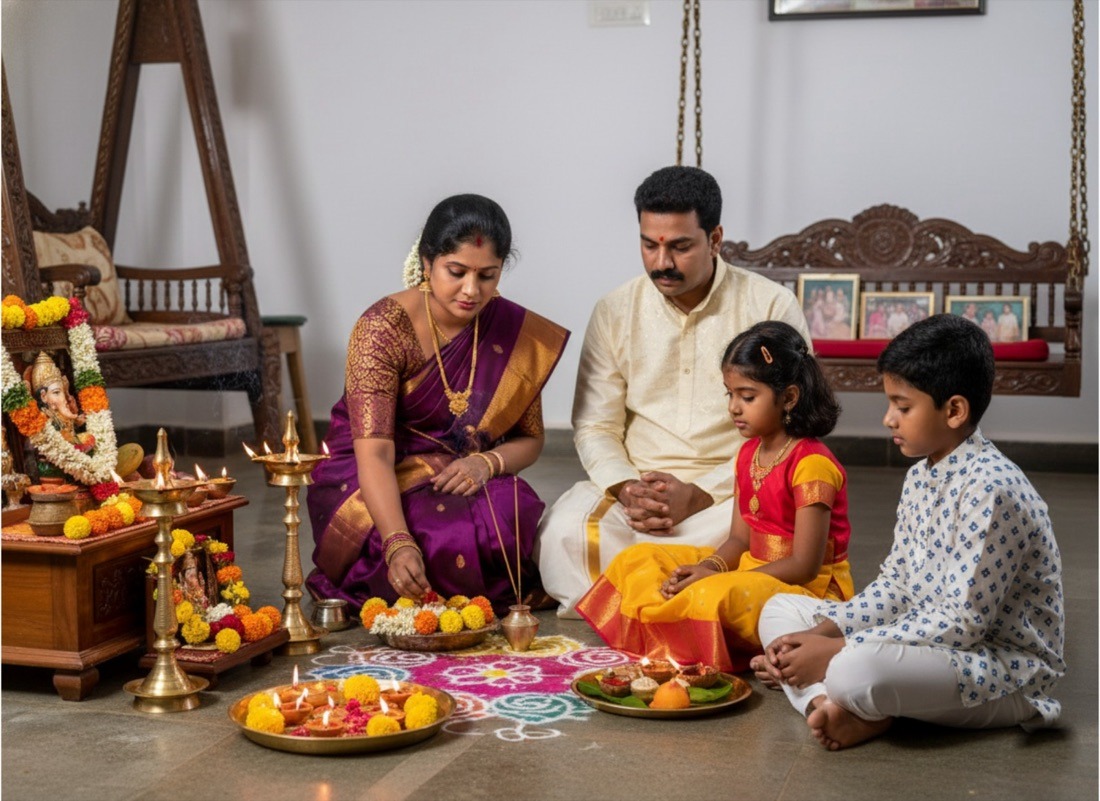
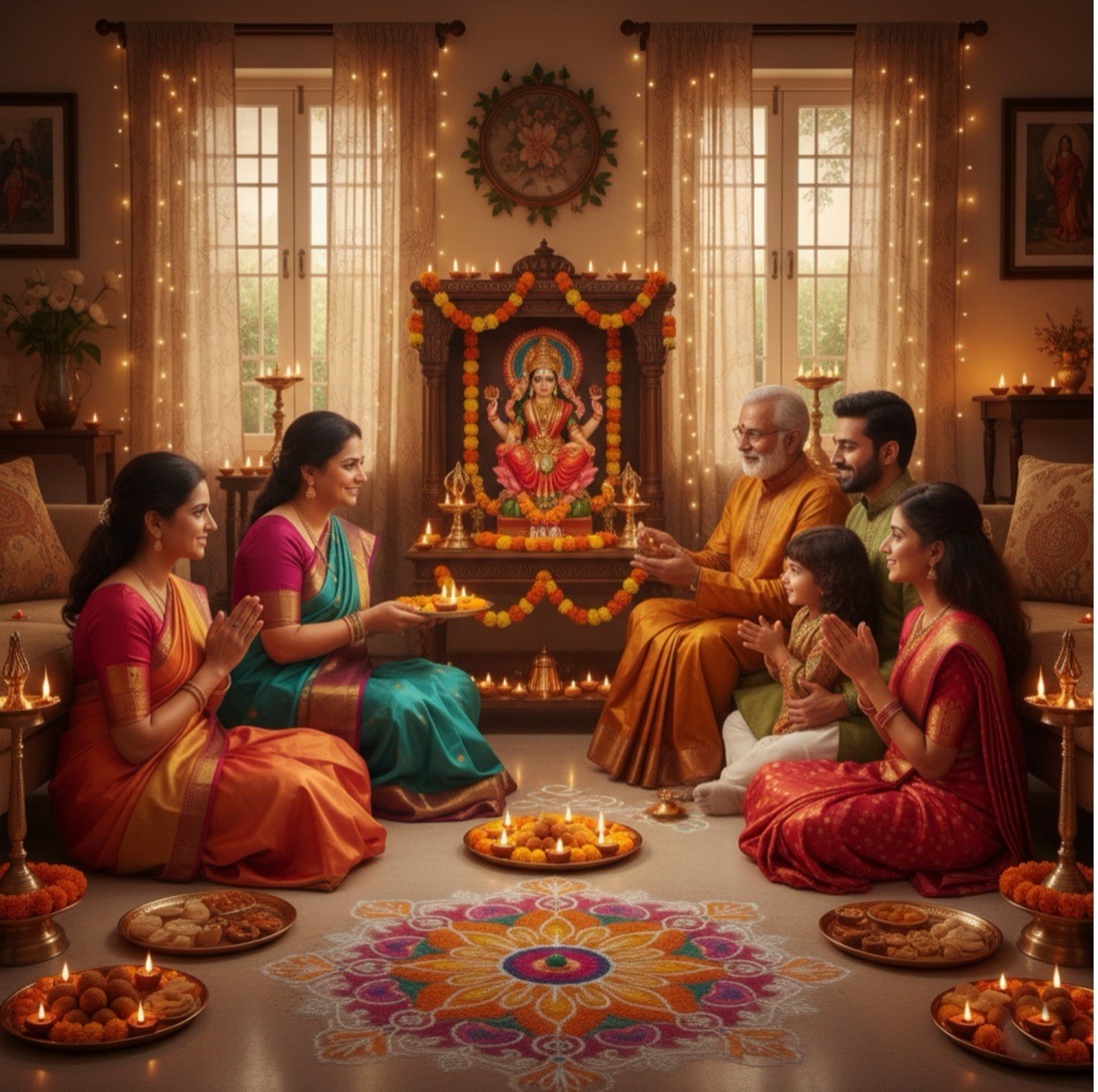
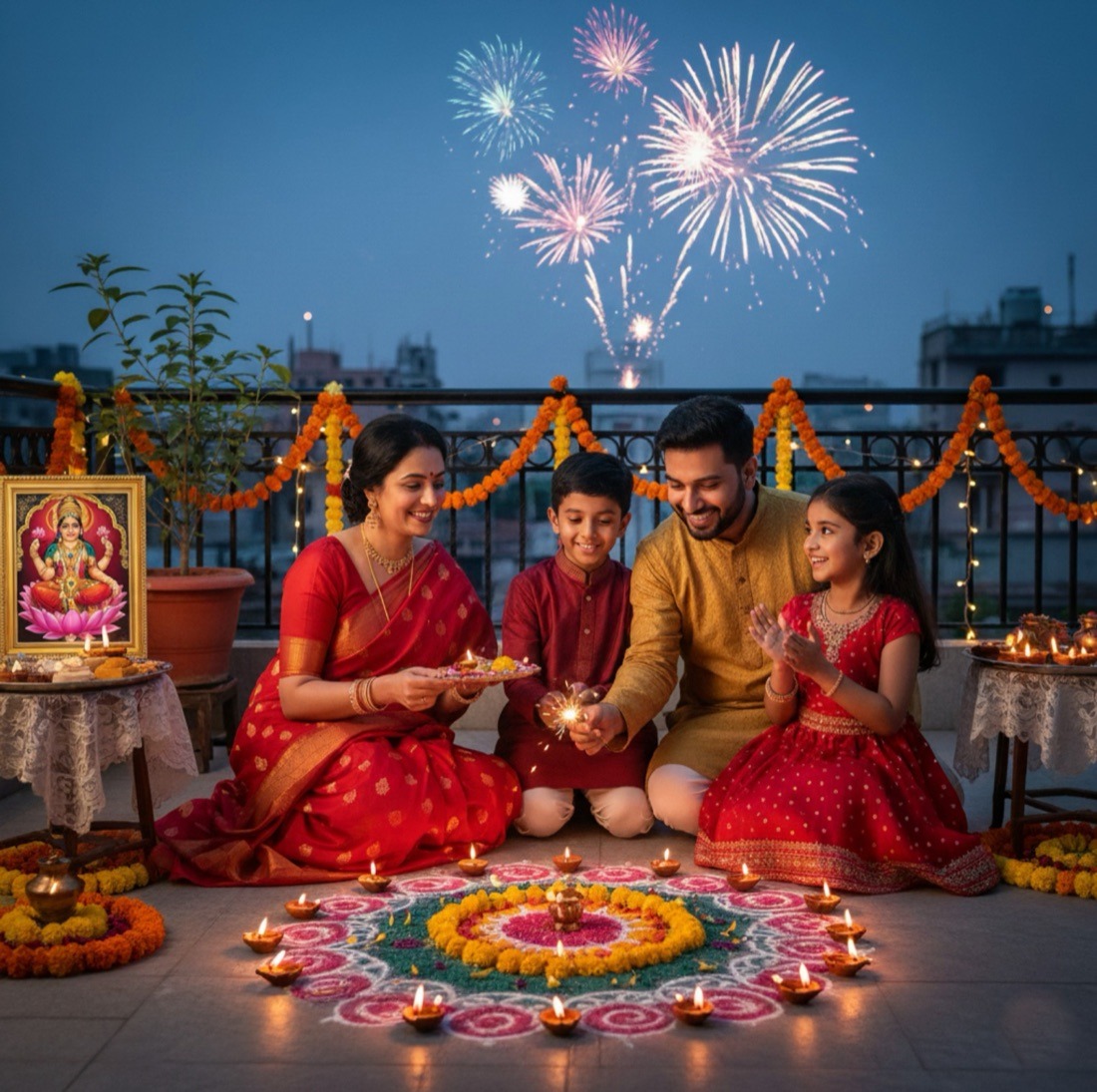
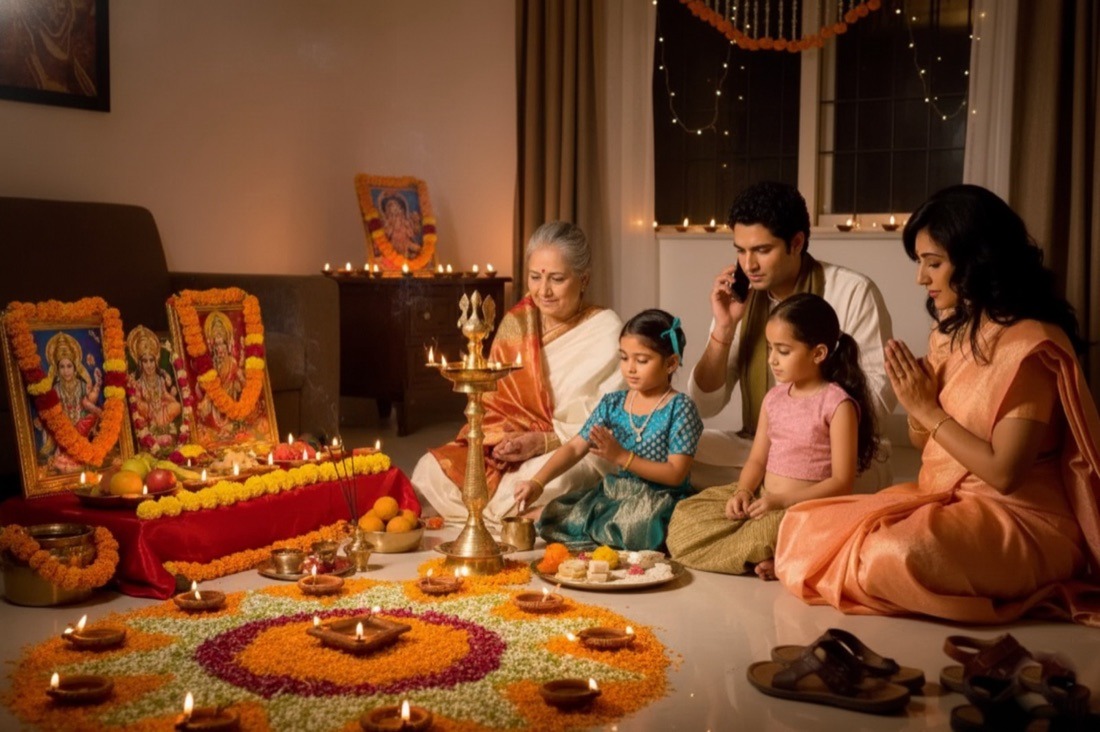
Before the interview, each person made two images on two different AI tools. So we walked in already knowing what "local" meant to them. In the interview, a probe of images we had created asked: does it look AI-generated, what's missing, and what looks too AI?

AI-generated image: a family celebrating Diwali on a rooftop with fireworks, rangoli and diyasAI-generated image: a family at a festive puja at home with a brass lamp and rangoliAI-generated image: a large festive gathering with lanterns, rangoli and sparklersAI-generated image: a South Indian family at a home puja with brass lamps and a swingAI-generated image: a family gathered before a Lakshmi shrine with rangoli and sweets
The five images we generated and used during the interviews to gather participants' insights on AI-generated images, and to check their perception of what feels local and culturally relevant. Tap any image to see it larger.
  1. ScreenerBuilt on the client's criteria, to recruit across languages and creator types.
  2. Pre-taskTwo images of a local vegetable market, on two different AI tools.
  3. Probe and guideThe discussion guide, and a set of images to probe with.
  4. Interviews90-minute remote in-depth interviews with contextual inquiry, with native-language moderators for regional sessions. I took live notes.
  5. SynthesisI did the synthesis for all the interviews, which ended in the final deck.
What people already use AI images for
Casual posting on social media
Visualising ideas and changes
Work
School and college assignments
Content creation
How often people generate images for each use case. Bar heights follow the final deck, which shows them relative to each other, without counts.
  • Casual posting on social media, the most frequent use.
  • Visualising ideas and changes: their own appearance, clothing, design and architecture decisions.
  • Work: meeting expectations, visualising ideas for clients, promotions, marketing and product ads.
  • School and college assignments: concepts and PPT decks that look unique and are easy to take in.
  • Content creation: images that fit each platform, like YouTube thumbnails and Instagram stories.
  • Exploring for fun: "time travel" and places they've never been, by changing backgrounds.
Making sense of it

From conversations to four pillars

We did sense-making for all 50 participants, using the same structured sheets, so patterns could surface across languages and cities.

  1. Live notesA note-taking guide, filled in during every interview
  2. Sense-making sheetEach participant mapped on behaviours vs attitudes: use cases, input method and language, tools, challenges, what "local" means, quality
  3. Revised sheetA deeper, revised sheet for the later interviews: each person's journey, from reason to prompting, generating, editing and using, seen through six lenses
  4. PatternsWhat felt local, what AI got wrong, and what to avoid, compared across people
  5. Four pillarsThe framework for culturally relevant visuals

Six lenses for every journey step

For each step of each person's journey, we looked at what they did and thought, and how it felt:

Doing and thinkingWhat they did, and what was going through their mind
TouchpointsThe tools and apps they used
NeedsWhat they needed at that point
Pain pointsWhere it went wrong
Delight pointsWhat worked and delighted them
FeelingsHow they felt along the way

Four journeys came out of the interviews

  1. Journey 1Generate an image from scratchShown below
  2. Journey 2Help me edit an image
  3. Journey 3Generate an image using a reference
  4. Journey 4Help me generate a video

Journey 1: Generate an image from scratch

Here is one of them, from the moment someone needs an image to the moment they use it.

Phases
Trigger
Prompt Creation
Image Generation
Image Editing
Image Use
Thinking & Doing
  • To create invites for functions
  • To help children with school projects
  • To create festive greetings promoting businesses
  • To get design ideas for renovation
  • To create logos
  • To make thumbnails for Youtube videos
  • To get unique design ideas
  • Prompts very simply for casual visual generation but in a detailed manner for more important purposes
  • Has learnt to prompt better over time through experience as well as online resources
  • Gets prompts generated through AI
  • Prompts in a mixture of English and local languages, mostly through typing
  • Prompts on various platforms
  • Most times has to reprompt again to get the perfect image
  • Sometimes gets the desired visual in one go
  • Wants accurate images exactly catering to the prompt given
  • Wants realistic images
  • Reprompts again by giving more details or with short phrases like ‘more’ to generate more images on the same platform
  • Edits the initial prompt to generate another image
  • Uses the generated image as a reference to create more images on different platforms
  • Edits and upscales the generated image on editing softwares and apps
  • Shares the generated images over WhatsApp and on social media
  • Uses the visuals as phone/desktop wallpapers and backgrounds for performances
  • Saves the generated images to their gallery to use them when required in the future
Needs
An image fulfilling all their requirements
To perfectly state the query with minimal effort
Images with accurate depictions, desired aesthetic and art style
To get the exact, desired, ready-to-use image
To be able to use the generated image in the desired way
Pain Points
Nervous as the desired output has a lot of things at stake, in terms of academic deadlines, work and social status
A lot of detail has to be provided to get the desired output, local language and voice prompts are often misunderstood
Faces don’t look realistic but cartoonish, elements are not relevant/local, doesn’t like Gemini watermark on images
Have to reprompt several times and sometimes on different platforms to get the desired output
Concerned that people might notice that an image is AI generated
Delight Points
Is able to get unique ideas and completely work quickly and efficiently
Sometimes even with short prompts the tool understands the exact context
Images look natural and realistic with good colour combinations
Upon re prompting, is eventually able to create the perfect desired image
Using the image where required with no one being able to tell it is AI generated
Opportunities
Understand the use cases they generate images for and cater to them
Add features and integrate ways to help them prompt quicker and better
Minimize the errors in the generated images to enhance the user experience
Interventions to make re prompting and image editing easier
Identify the factors that makes an image look AI generated
Feelings
😁
🤔
🙂
🤨
☺️
Scroll sideways to see the whole journey →

What "local" means

It should feel like their city, not just look like it

  • The headline

    In India, "local" is deeply contextual and multi-layered.

    It goes beyond geography to cultural familiarity and a sense of belonging. Most people saw local imagery as an authentic reflection of their own surroundings, and every city pictured it differently. A few linked "local" to rural settings or low-quality images.

  • Insight 1

    The human aspects are important

    Across cities, participants equated “local feel” with how people look, move, and behave, not just the setting. People and their faces, expressions, attire, gestures, postures and visible interactions were essential indicators of authenticity. Small details like someone paying a vendor, a crowd in motion or, sweat on people’s faces added to this.

  • Insight 2

    Unrealistic depictions prevent immersion

    Participants repeatedly pointed out misrepresented or unrealistic elements like non-Indian faces, mismatched or similar clothing, sparse crowds, and cartoonish visuals. Such inaccuracies instantly reduced the authenticity of an image.

    In a nutshell, image resolution and clarity is the most important visual parameter when generating images, since clearer pictures most closely resemble real (non-AI) pictures.

    "Such in-depth detailing and clarity of the faces, and even of the background, should be there that it is not blurry on zooming in."
    Homemaker, 39, Chennai
  • Insight 3

    Emotions drive recognition

    Even when physical landmarks were missing, participants looked for emotional familiarity within images. They wanted visuals with atmospheres that felt like their city, not just ones that looked like it.

  • Insight 4

    Precision leads to realism

    Recognizable streets, markets, religious sites, or iconic buildings helped anchor the identity and location of a place. Even minor inaccuracies in these elements disrupted the sense of authenticity. They wanted these details to ground the image, rather than stereotyping it.

The pillars

Four pillars of a local, culturally relevant visual

We broke "local and cultural relevance" down into what an image or video has to get right in the Indian context: four pillars, and what each one encompasses.

1

Local Knowledge

2 elements
Place awareness

Recognizable places of importance or iconic landmarks from their context. Also, the characteristics of their place and how it is perceived by the locals themselves and not from an outsider lens

Population density

A sense of how many people would be present in a place at a given point in time

2

Behavioural Norms

4 elements
Traditional authenticity & social-code

Customs and traditions from their region and culture to be depicted in the image in a way that it truly represents their place.

Social code about what is written and said, what is worn – when and how, how one behaves in a specific festival

Context aware interaction b/w characters

Show how people would interact with each other in the context of the place, time, relationship amongst people, and occasion specific.

Activities and interactions should be shown

Mindsets & psychology of people

Capture how people in their context think emote.

The inner thinking of people should be depicted

Look and feel of the characters

People’s facial tonalities and expressions need to be shown, along with their complexion and attire which represents their context

3

Linguistic Capabilities

1 element
Local verbal context and language used

What is written, how is it written, in what language – use of colloquial words and local languages etc.

Text should not be jumbled but in a language which feels realistic and natural in the scene depicted

4

Assumptions

2 elements
Religious and ritual accuracy

Participants were highly attentive to details of religious context, even subtle deviations were perceived as inauthentic

Sensitivity towards cultural symbols

Cultural symbols, like the Golden Temple, were seen as sacred and must never be shown inaccurately. Participants expected such cultural taboos to be understood to avoid hurtful representations

Language and tools

Typed, in English, to get it right the first time

Most people typed rather than spoke their prompts, so they could compose their thoughts, check them and cover every requirement. Voice was for when they were in a hurry, and felt unreliable.

English was the main prompting language. Some tried Hindi, Tamil, Tanglish or their regional language, but switched back to English for a good result:

  • Lost in translation. Regional-language prompts led to errors and off-context results, and the tools often misread words and cultural nuances.
  • Assumed limits. Some believed AI simply can't handle regional languages, so they only ever used English.

Tool comparison snapshot

ChatGPT, Gemini, Meta AI, Perplexity, Canva AI, Envato and Higgsfield were the major tools used for image and video generation. Here is how the two main tools compared:

ChatGPT

Specific use case
  • Edit images and screenshots
  • Academic purposes
  • Trend participation
  • Prompt generation
  • Academic assignments and projects
Positives
  • Oldest tool so high trust
  • Short process, no additional steps
  • Sticks to what is being asked
  • Understands and remembers context
Negatives
  • Takes too long to generate any images
  • Makes many mistakes in understanding prompts
  • Output lacks depth and clarity
  • Daily limit for generating images
  • Creates cartoonish images
  • Image quality is not good
  • Asks too many specifications before generating image

Gemini

Specific use case
  • Realistic images
  • Background changes
  • Makes collages
  • Understands local context and elements
  • Understands basic, short prompts
Positives
  • High quality images
  • Makes lesser mistakes
  • No daily limit for image generation
  • Captures details
  • Fast image generation
  • Better understanding of local context
  • Accurate image generation with basic prompts
Negatives
  • Long process, asks for a lot of information before giving output
  • Takes a lot of creative freedom and adds elements on its own
  • Buffering happens at times
  • Leaves a watermark on the generated image
  • Changes the faces of people with multiple re-prompts

Other tools people used

Beyond the two main tools, the choice came down to convenience, speed and accuracy. For video, no single tool felt seamless, so people switched tools job by job.

Tool
What people used it for
Where it fell short
Meta AIImages and video
Used forQuick, fun content right inside WhatsApp, with several variations per prompt
Where it fell shortInconsistent, very vibrant, with a foreign-looking context
EnvatoVideo
Used forHigh-quality short clips for professional work, stitched into longer marketing videos
Where it fell short—
HiggsfieldVideo
Used forAdding motion to existing images, flexibly and easily
Where it fell short—

The workaroundMany people split the job: ChatGPT to put their idea into words, then Gemini to turn that prompt into the image.

Impact

What the research gave the client

The insights and findings we submitted helped the client make more informed decisions, across three areas:

  1. Where the tools standClarity on the current standing of the two tools: what people prefer, which tool performs better, and where today's tools are lagging.
  2. What "local" really needsThe nuances the client was specifically looking for: imagery close to people's own surroundings, and culturally appropriate.
  3. Why video falls behindWhere current tools lag for video, and why people aren't generating videos on them.
Looking back

What I took away

My first project, end to end

This was my first project at Peepal Design where I took part from end to end, across almost every process. It was a very extensive study, with a huge sample of 50 participants and a wide variety of people, from people who generate images to video creators who use video generation heavily in their professional lives.

Learning to coordinate

I coordinated with the field recruiters, and with four regional moderators. Since they only ran the sessions in their own language, we shared the probes and activities with them, walked them through the discussion guide, and trained them before the sessions, including how we ran the activities on Miro to gather views on the images. All of this was new to me, and I learned a lot about coordination.

Seeing below the surface

Journey mapping taught me to write what isn't visible on the surface: to think hard about what people do and feel, and bring it out. This project shaped much of the way I write at Peepal Design.